|
This was for a class on programmable shaders. My pride and joy was the water surface.
It reflects and refracts, uses the Fresnel Effect, and I animate a bump map across the surface to give it the appearance
of ripples. I had to make a scene for my water to reflect, so I used 3DS Max to create a sandy beach and my beautiful
spherical tree. I also placed a small red cube under the water so there was something more to refract. There's also a
skybox that is reflected. The brick wall in the background, although not totally apparent from this angle,
is parallax-occlusion mapped. The scene is real-time. There are controls to move the camera around to get a better look
at it. This was done using C++, DirectX 9, HLSL, and 3DS Max 9.
Download Sample Source Code |
|
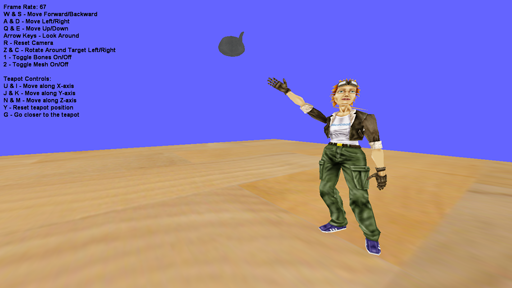
| My Inverse Kinematics project. In this one, you have control over the teapot object. As you move it around, Tiny here reaches for it. I programmatically traverse her skeleton and rotate her bones into an optimal position toward the teapot. The poses are meant to be natural. The reason behind this project was to teach us to create dynamic animations for a boned, skinned model. This was done using C++ and DirectX 9. |
|
|
This project animates a model along a specified path. I also had to link the animation speed to the speed the model
travels the path. This gives the impression that the model was moving by actually taking steps instead of sliding
across the floor. This project used C++ and DirectX.
Download Sample Source Code |
|
|
This project loads a model in .X DirectX format and animates it using a custom animation controller. I load the .X file and
parse the animation data. The model is a boned, skinned model animated using keyframe animation. This uses C++ and DirectX.
Download Sample Source Code |

|
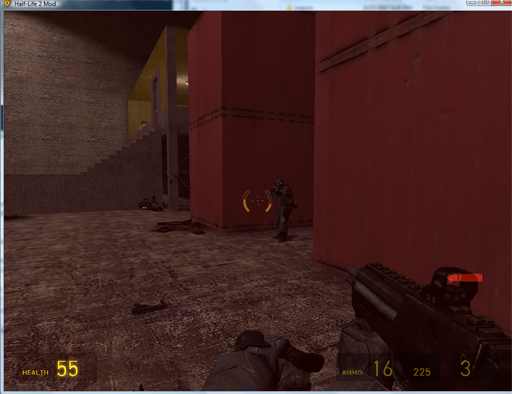
| This is a screenshot from a Half-Life 2 mod. It was from a level design course where we used Valve's Hammer Editor to learn level design. We were even lucky enough to have a few people who worked for Valve come in weekly and show us how to use their tool. They also gave us tips on level design. It was a good educational experience. |
|
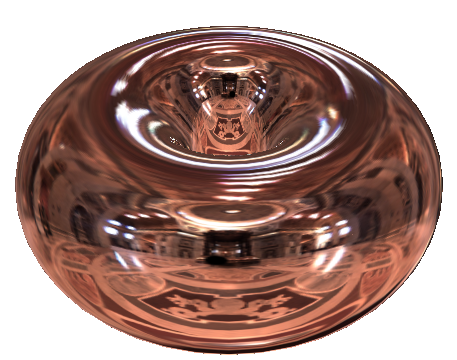
| This is an environment mapping project. Using the normal of a point on the object and the direction to the camera, I calculate an index into a spherical texture map. This uses C++ and OpenGL. |
|
|
This is my elastic object project. I made a cube of mass points that that are linked and interact with all the points
immediately around it. You can move the two control points around and the entire object will bounce around, contract,
and expand until it reaches an equilibrium state. The scene is 3D, so you can move the camera around to look at the
object from different angles. It was built using C++ and DirectX 9.
Download Sample Source Code |
|
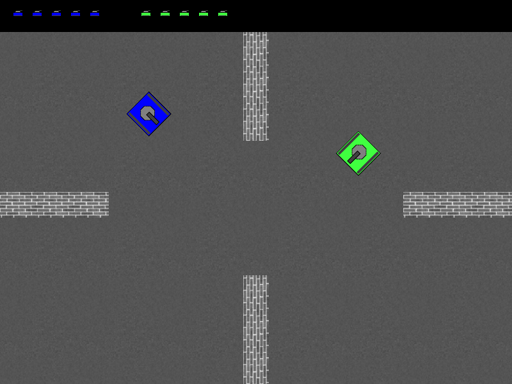
| This is the project for my networking class. We had to create a LAN game for up to 4 players. It has a lobby where players can host or join games and chat with others connected to the game. The game itself is much like an old Atari tanks game. The tanks have 8-way movement and can shoot at each other. This was my first attempt at networking a game. It took some time to figure out how to keep 4 different computers in sync with each other, but it worked out decently in the end. This project was made with C++ and DirectX 9, and used TCP/IP with WinSock. |
|
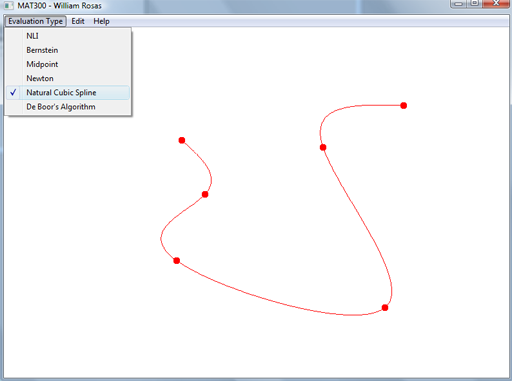
| This project calculates and draws several different curves and splines. Using the mouse, you can place control points and the curve is generated. You can also click and drag the different points and the curve will be updated automatically. This was done using C++. |
|
All content copyright 2008 DigiPen(USA) Corporation. All rights reserved.